The Two-Tier Reality of Claude Code Users
Two distinct classes of Claude Code users have emerged, and the gap between them is widening every week.
The first class treats Claude Code like a smarter autocomplete. They type a prompt, accept a suggestion, and move on. They get value — but marginal value, roughly proportional to the time they spend typing at it. Their workflow looks almost identical tomorrow as it does today.
The second class has internalized a different mental model entirely. They run Claude Code as a persistent, configurable agent with memory, custom slash commands, parallel sessions across multiple worktrees, and project-level configuration that carries context from one session to the next. Boris Cherny and the Anthropic team built these capabilities deliberately into the tool. Most users simply never reach them.
The coverage problem makes this worse. Demos and launch articles show Claude Code writing a React component from scratch or refactoring a function on command. That footage is accurate and genuinely impressive. What it doesn’t show is the CLAUDE.md file that primes the agent with project conventions before a single prompt is typed, the custom commands that encode repetitive workflows into single keystrokes, or the permission configuration that lets Claude run tests and verify its own output autonomously. The setup is invisible in demos because demos skip it. In production workflows, that setup is everything.
The compounding dynamic is the part that should concern developers who haven’t invested yet. Every hour a power user spends configuring their environment pays a return on every session that follows. A well-tuned CLAUDE.md file doesn’t just help today — it eliminates re-explaining context across hundreds of future sessions. Custom commands built this month run faster next month and the month after. The productivity delta isn’t static; it grows. A developer who built these habits six months ago isn’t just slightly ahead of someone starting today. They’re operating with accumulated infrastructure that a newcomer would need months to replicate, during which the early adopter keeps building more.
This is the compounding advantage, and it belongs entirely to the developers who treated setup as an investment rather than an obstacle.
Claude.md: The Memory Layer Nobody Talks About
Every Claude Code session starts with amnesia — unless you fix that with a CLAUDE.md file.
CLAUDE.md sits at the root of your project and loads automatically when Claude Code initializes. It functions as standing instructions: the agent reads it before touching a single line of your code. Think of it as a contract you write once and enforce forever. Your preferred test runner, your branching conventions, the fact that this project uses Postgres not SQLite, the rule that all API responses get typed with Zod — none of that needs to be re-explained every Monday morning.
The gap this creates is real. A developer without CLAUDE.md spends the first several exchanges of every session re-establishing context. The agent makes generic choices because it has no project-specific constraints. It reaches for whatever patterns are common in the wild rather than what’s consistent with your existing codebase. Multiply that friction across hundreds of sessions and you’re looking at a meaningful tax on every interaction.
A well-built CLAUDE.md does three things. First, it encodes architectural decisions — the ones your team has already made and doesn’t want relitigated. Second, it defines what “done” looks like: run the test suite, check types, confirm the build passes before calling anything complete. Third, it documents the sharp edges specific to your project — the legacy module that can’t be refactored yet, the environment variable that must be set manually, the third-party API that behaves unexpectedly on paginated responses.
Most tutorials treat CLAUDE.md as an optional flourish, something to add later. That framing is backwards. Without it, you’re running a powerful agent in stateless mode — capable of impressive one-shot outputs but unable to accumulate any institutional knowledge about your project. The setup cost is an afternoon. The return is every subsequent session starting informed instead of cold.
Power users version-control their CLAUDE.md alongside the codebase. When conventions change, the file updates. New team members get the same agent behavior on day one that a senior developer has built up over months.
Custom Commands and Skills: Teaching Claude Code Your Workflow
Custom slash commands and reusable skills are where Claude Code stops resembling a chatbot and starts resembling internal tooling. You define a behavior once — a multi-step refactor pattern, a specific test scaffolding strategy, a release checklist — give it a name, and invoke it on demand. The prompt you spent twenty minutes perfecting last Tuesday becomes /refactor-service today.
The mechanic is straightforward. Skills are scripted behaviors stored in your project or user configuration. When you call them, Claude Code executes the full sequence without you re-explaining the context, the constraints, or the preferred output format. For teams, this means institutional knowledge about how your codebase gets tested or documented stops living in one engineer’s head and starts living in a file you can version-control.
This is the feature that most sharply divides power users from casual users. A developer who hasn’t built custom commands re-describes their refactoring approach every session. A developer who has built them types a single instruction and moves on. Over weeks, that gap compounds into hours of recovered time and significantly fewer context errors — Claude Code drifting toward generic patterns because it wasn’t given the specific ones you use.
The right mental model here isn’t “writing better prompts.” It’s writing internal tooling. When a team builds a CLI wrapper around a repeated workflow, they don’t re-argue the design each time they run it. Custom skills operate the same way: the decision gets made once, encoded, and executed consistently. That framing matters because it changes what you invest effort in. You stop optimizing individual conversations and start building a library of named, tested, reusable behaviors that gets more valuable the longer you work in a codebase.
Most coverage of Claude Code focuses on what it can do in a single session. The custom commands system is about what it can do across every session — a fundamentally different and more powerful question.
Subagents and Parallel Sessions: Thinking in Fleets, Not Instances
Most developers run Claude Code as a single session: one prompt, one response, repeat. Power users run fleets.
Claude Code supports spawning subagents — parallel instances each assigned a discrete subtask — so a single developer can coordinate what functionally operates as a small engineering team. One agent writes the feature. A second reviews the implementation for logic errors and style violations. A third runs the test suite and reports failures. All three work concurrently, not in sequence.
This isn’t a marginal speed improvement. It’s an architectural shift. Sequential workflows bottleneck on wait time; parallel agent workflows bottleneck on the developer’s ability to decompose problems clearly before execution starts. That upfront decomposition — splitting a complex task into non-overlapping, independently executable subtasks — is where the real skill lives, and it’s almost entirely absent from beginner Claude Code tutorials, which still treat the tool as an advanced autocomplete.
The practical consequence of this gap is a widening productivity split. Developers who invest in learning task decomposition unlock compounding returns: each well-structured parallel run produces faster feedback, cleaner integration, and fewer cascading errors than a single monolithic session ever could. Developers who don’t invest stay on the linear curve, adding one prompt at a time.
“Solo developer productivity” stops meaning what it used to. A single developer running four parallel Claude Code sessions on a feature branch — one scoping the API contract, one drafting the implementation, one writing unit tests, one checking documentation consistency — is executing work that previously required a team standup, ticket assignments, and half a sprint. The constraint shifts from execution capacity to orchestration skill: can you break the problem down cleanly enough that agents don’t block each other or produce conflicting outputs?
That orchestration skill doesn’t come from reading a quickstart guide. It comes from repeated practice with parallel sessions, learning where task boundaries create clean handoffs versus where they create integration debt. The developers building that muscle now are establishing a lead that compounds with every project.
Plugins and MCPs: Extending the Agent Into Your Entire Stack
Most developers treat Claude Code as a smarter way to write and edit files. That’s the floor, not the ceiling. Model Context Protocol integrations are what separate a capable assistant from a full-stack automation agent.
MCP is an open standard that lets Claude Code connect directly to external tools, APIs, and data sources. Instead of copy-pasting database query results into the chat window or manually triggering a deployment after Claude writes the code, you configure an MCP server once and Claude handles the entire chain. The agent reads from your Postgres instance, checks your CI/CD pipeline status, and pushes changes without you leaving the interface. That’s not a demo scenario — that’s a configured daily workflow.
The practical range of integrations is wide. Browser control MCPs let Claude run end-to-end tests against a live staging environment and report back with screenshots. Database MCPs give the agent read and write access to your actual schema, so it’s not guessing at column names or data types. CI/CD integrations mean Claude can trigger a build, watch the logs, and iterate on the code if the pipeline fails — all within a single session.
What gets missed in most coverage of MCPs is the threshold effect. Adding one integration makes Claude Code more useful. Adding five makes it a different category of tool. When the agent has access to your version control, your database, your deployment pipeline, and your documentation system simultaneously, it stops being an assistant you consult and becomes an agent that executes across your actual stack.
The setup investment is real. Writing or configuring MCP servers takes time, and the ecosystem is still maturing. But for developers who do the work, the result is an agent that operates with full context about the systems it’s touching — not a simulation of that context constructed from code snippets you pasted in. That difference compounds every single day you use it.
Building a Setup That Compounds Over Time
Most coverage of Claude Code treats it like a product with a learning curve. It isn’t. It’s a platform, and the returns scale directly with how much infrastructure you build on top of it.
The developers pulling the most value from Claude Code aren’t typing better prompts — they’re maintaining a versioned CLAUDE.md file that encodes project conventions, preferred patterns, and hard-won lessons from previous sessions. That file lives in the repo, gets committed, and gets refined after every project. Over six months, it becomes something genuinely difficult for a competitor to replicate quickly: an institutional memory that makes Claude behave like a senior engineer who already knows your codebase.
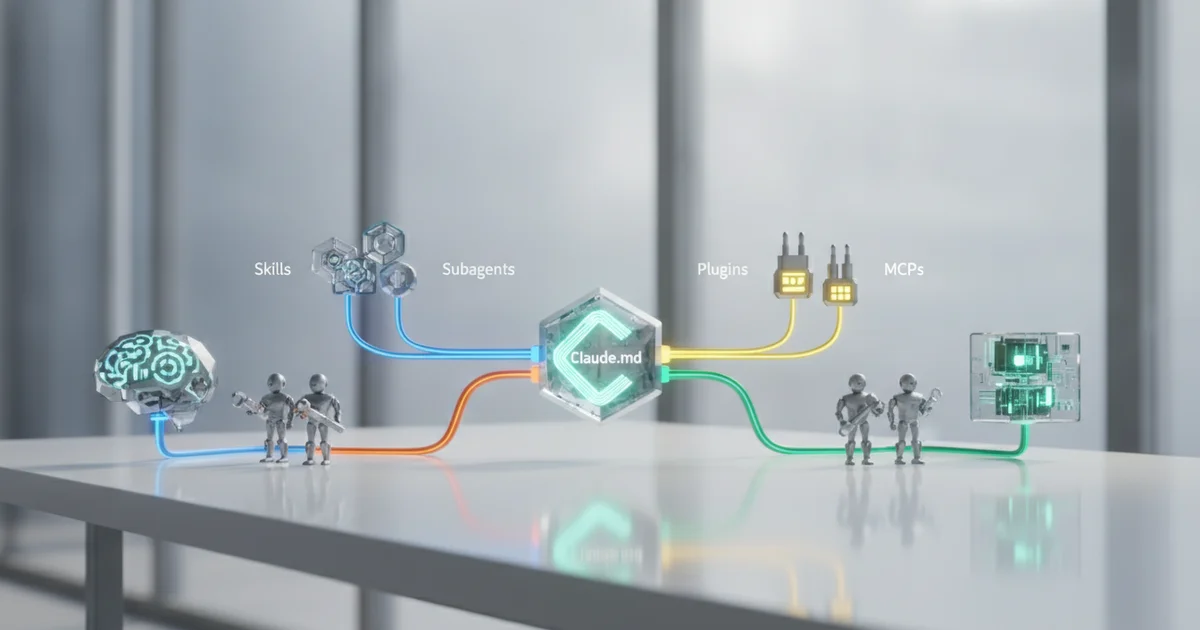
The practical daily-driver setup runs in layers. CLAUDE.md handles project context and standing instructions. Custom slash commands handle repetitive workflows — spinning up a test suite, generating a migration, running a specific deployment check. MCP connections pull in live data sources: your database schema, your internal API docs, your error logs. Subagent workflows handle parallelization, letting Claude run multiple investigative tasks simultaneously instead of sequentially. Each layer amplifies the others. The MCP connections make the custom commands more accurate. The subagent workflows make the custom commands faster. The CLAUDE.md keeps all of it coherent across sessions.
The compounding effect is the part most teams miss. A developer who spends thirty minutes after each project updating their CLAUDE.md and refining a custom skill is building an asset. That asset reduces setup time on the next project, which frees up time to refine further, which reduces setup time again. The developer who types raw prompts on day one is still typing raw prompts on day one hundred.
Boris Cherny and the Anthropic team built Claude Code to function as an autonomous agent with guardrails, not a chatbot with a code block. The developers who treat it that way — version-controlling their configuration, iterating on their tooling, treating setup as ongoing infrastructure work — are opening a gap that widens every week.