The ‘AI Slop’ Problem Nobody Is Talking About in Dev Tooling
Claude Code, Cursor, and Codex have collapsed the time it takes to scaffold a working UI from days to minutes. That speed comes with a hidden cost: the output looks the same. Rounded cards, muted gray backgrounds, Inter or Geist typefaces, hero sections with a centered headline above a pair of CTA buttons — the signature fingerprints of machine-generated interfaces have become instantly recognizable to anyone who builds software for a living.
Designers and developers have started borrowing a term from the content world to describe it: AI slop. In writing, slop meant fluent, plausible, utterly forgettable text. In UI, it means something technically functional — accessible, responsive, bug-free — that still signals “no human made a decision here.” The aesthetic is on-distribution by definition, because every large language model was trained on the same corpus of GitHub repos, component libraries, and design system documentation. The model reaches for what it has seen most often, and what it has seen most often is Tailwind defaults and shadcn/ui templates.
The tooling conversation has not caught up. Benchmarks for AI coding assistants measure correctness, latency, and token efficiency. Product reviews ask whether the model can fix a bug or pass a coding interview problem. Almost no published evaluation asks whether the interface it generates would embarrass a mid-level product designer. That gap is significant, because visual genericness is a real business problem — it erodes brand differentiation, signals low craft to users, and creates remediation work that eats the productivity gains AI coding was supposed to deliver.
Hallmark, an open-source project from Together AI built for Claude Code, Cursor, and Codex, treats this as an engineering problem worth solving explicitly. It runs fifty-seven slop-test gates on generated output and adds a pre-emit self-critique step that actively refuses the on-distribution defaults the underlying models were trained into. The existence of a tool this specific — one that needs to enumerate more than fifty distinct failure modes just to clear the bar for “doesn’t look AI-generated” — is itself a precise measurement of how much aesthetic design debt the AI coding generation has quietly accumulated.
What Hallmark Actually Does — and Why the Architecture Is Clever
Hallmark is not a component library. It is not a theme pack or a Tailwind preset. Together AI describes it as a “design skill” — an instruction set that operates at the agent or system-prompt layer, reshaping how AI coding tools like Claude Code, Cursor, and Codex approach visual decisions before a single line of code gets written.
The architecture runs in three distinct phases. First, Hallmark selects a macrostructure suited to the specific brief — not a generic hero-features-CTA stack, but a layout chosen for the content. Second, it applies one of twenty distinct visual themes to that structure. Third, and most significantly, it runs fifty-seven slop-test gates followed by a pre-emit self-critique loop. That last step is a real departure from how most AI code generation works. Standard tools make one pass and output. Hallmark interrogates its own output before releasing it, checking whether the result has drifted back toward the on-distribution defaults that large language models were trained to favor — the rounded cards, the blue primary buttons, the soft-shadow hero sections that make every AI-generated interface look like a cousin of every other.
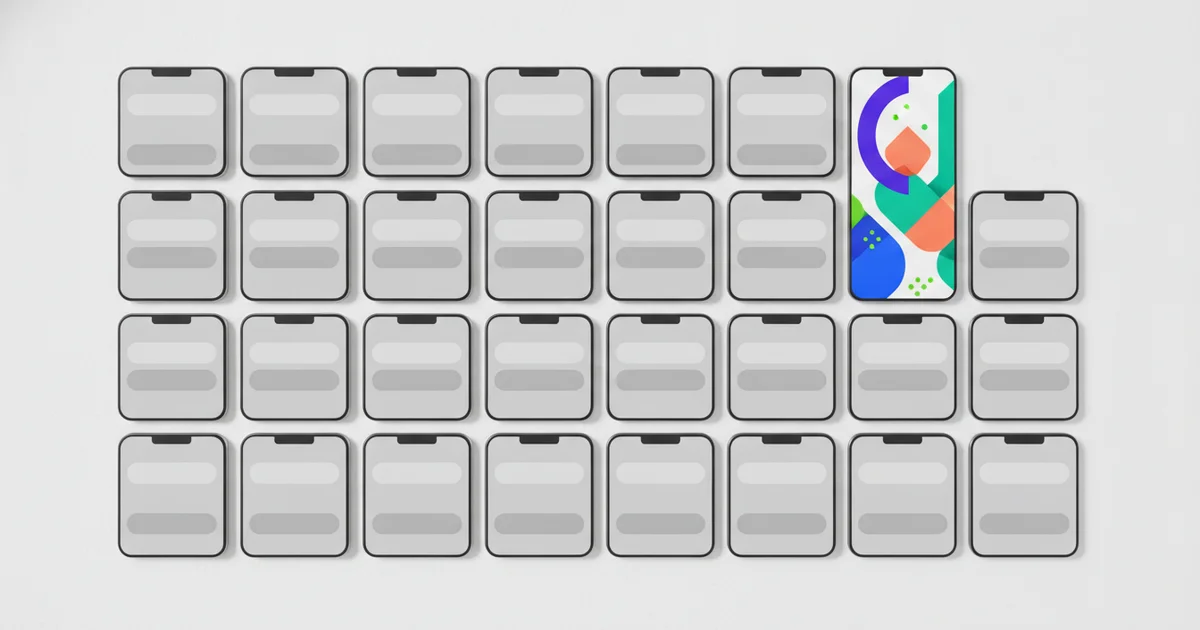
The result, according to the project, is that two pages built by Hallmark for two different briefs feel like different sites rather than color-swaps of the same template.
Four verbs govern the design logic — each one directing a different mode of operation, from building new UI to modifying existing work. Users can also press T to cycle through all twenty-one themes live in the demo environment, which makes Hallmark function as a design exploration tool as much as a code generator.
The provenance matters. Together AI built its commercial reputation on fast inference — getting tokens out quickly at competitive cost. Shipping an anti-slop design system signals a deliberate pivot in how the company defines value for developers. Speed is now table stakes. The next differentiator is taste. For the broader AI coding tool market, Hallmark frames a clear argument: the accumulated design debt baked into LLM training data is a product problem, and prompt-layer interventions are a credible way to pay it down.
The Missing Context: This Is an Indictment of Default Model Behavior
Hallmark’s existence is a quiet indictment. Claude, GPT-4o, and Codex are not broken tools — but their default design behavior is deeply uncalibrated for visual distinctiveness. Every one of these models was trained on the same distribution of UI patterns, and that training created a gravity well. Ask any of them to build a landing page without intervention and you get the same rounded cards, the same hero section, the same muted palette. Hallmark exists precisely because that gravity well is real and no model provider has chosen to escape it by default.
The project runs as an open-source repository on GitHub, built by Together AI. That structure matters. Developers are essentially installing a community-maintained correction layer on top of closed commercial models. The pattern is familiar from the prompt engineering era — crowds of practitioners building workarounds for model limitations that vendors acknowledged but never prioritized fixing. What makes Hallmark different is that it frames this correction work explicitly as anti-AI-slop design infrastructure, not just clever prompting. Its fifty-seven slop-test gates and pre-emit self-critique pipeline are systematic, not ad hoc.
That raises a question most coverage skips entirely: who is actually responsible for design quality in AI-generated UI? Model providers like Anthropic and OpenAI optimize for capability benchmarks, not visual originality. Coding tool vendors like Cursor treat design output as downstream of the model they wrap. Individual developers ship fast and rarely have the eye or the time to catch homogenization before it reaches production. Hallmark’s architecture answers this accountability gap by rejecting all three parties as the solution. Instead, it proposes a dedicated design skill layer — a discrete, composable component that sits between the developer’s intent and the model’s output, enforcing twenty distinct themes and four structured generation verbs to ensure that two pages built for two different briefs look like genuinely different sites, not color-swapped variants of the same template.
That is design debt made visible. And someone finally wrote the patch.
What ‘Twenty-One Themes and Four Verbs’ Tells Us About Systematic Design Thinking
Hallmark ships with exactly twenty-one themes. That number is a design decision, not a limitation. Constraining the solution space to twenty forces genuine curation — each theme earns its place rather than existing because generation is cheap. Unlimited theme generation would recreate the same problem Hallmark is built to solve: optionality without editorial judgment produces noise, not variety. The twenty-theme ceiling encodes a philosophical stance that good UI design emerges from choosing within a deliberate palette, not from spinning an infinite slot machine.
The four-verb framework operates on the same logic. Rather than accepting open-ended natural language prompts that collapse into whatever defaults the underlying model was trained toward, Hallmark structures interaction around four discrete verbs — a grammar of design where compositional rules generate genuine variety. The exact verbs aren’t fully documented in public-facing material, but the architecture is clear: fixed vocabulary, variable output. This is the opposite of how most AI coding assistants handle design tasks, where freeform prompting lets the model’s statistical gravity pull every result toward the same hero section, the same card grid, the same sans-serif neutral palette.
The live demo makes the anti-slop argument without a single word of explanation. Press T, and the keyboard cycles through themes in real time. Developers feel the range of the system in seconds — not by reading a feature list, but by watching distinct visual identities snap into place one after another. That interaction is doing serious UX work: it demonstrates that two pages produced by Hallmark for two different briefs feel like different sites, not color-swaps of the same template. The demo converts a conceptual claim about design diversity into a tactile, immediate experience.
Together, the twenty-one themes, four verbs, and T-to-cycle demo represent a coherent design philosophy: systematic constraint produces more creative output than unconstrained generation. For developers frustrated by AI-generated UI that looks identical regardless of the brief, this structured approach to AI design tooling signals a meaningful shift in how agentic coding environments should handle visual decision-making.
Why This Matters Now: The Vibe-Coding Hangover Is Coming
The vibe-coding wave crested fast. In early 2025, developers using Claude Code, Cursor, and Codex shipped products at a pace that would have been unimaginable two years prior. The problem is visible now in hindsight: speed without taste produces a recognizable residue. Rounded cards. Hero sections with gradient backgrounds. Inter font everywhere. Users are already developing sharp enough AI-detection instincts to clock these patterns on sight, and that recognition is becoming a brand liability for the products built on them.
This is where the category Hallmark represents becomes commercially significant. Raw generation speed is largely a solved problem — the next competitive frontier is output quality, and specifically the ability to produce AI-assisted interfaces that don’t announce themselves as such. Hallmark’s architecture makes the logic explicit: fifty-seven slop-test gates, a pre-emit self-critique layer, and twenty distinct themes designed to ensure two different briefs produce two genuinely different sites rather than color-swapped versions of the same template. That’s meta-tooling — software that improves what AI generates rather than how fast it generates it. This category will grow as the performance gap between frontier models narrows and differentiation shifts toward taste and judgment.
The floor-raising argument matters most for non-expert developers who have no design background and treat AI coding tools as their primary, often only, design resource. For that cohort, the default outputs from large language models set the bar for what gets shipped. Hallmark, or something architecturally similar, has a real chance to raise that bar — but only if it escapes the niche GitHub project trajectory and gets absorbed into mainstream AI development workflows.
The open-source, community-driven model Hallmark runs on is both its structural advantage and its central risk. A growing contributor base expanding the theme library creates a collective taste-making mechanism — effectively a design standard that emerges from practice rather than prescription. If adoption reaches critical mass, that library could define the aesthetic baseline for AI-assisted development the same way Bootstrap defined web defaults a decade ago. If it doesn’t, the anti-AI-slop problem remains unsolved at scale, and the vibe-coding hangover gets worse before it gets better.