The DNA was always there: Android’s overlooked Linux roots
Android has run on the Linux kernel since its first public release in 2008. That single architectural fact makes the arrival of Linux GUI app support feel less like a surprise feature drop and more like an obvious destination Google has been driving toward for over a decade.
The kernel is the core layer that manages hardware resources — memory, processors, storage, input devices. Because Android and desktop Linux distributions share this foundation, the operating system already understands Linux processes at a fundamental level. Running Linux software on Android isn’t a hack bridging two incompatible systems. It’s closer to unlocking a room that was built into the house from the start.
Google made the first visible move by shipping native Linux terminal support for Android. That gave users direct command-line access to a Linux environment running on the device — package managers, shell scripts, standard Unix utilities. Power users immediately recognized what it signaled: Google wasn’t just adding a developer toy. The company was building infrastructure.
GUI app support is the next logical layer on top of that infrastructure. A terminal lets users run headless Linux processes. Graphical Linux application support extends that capability to full desktop software — text editors, development environments, creative tools — rendered inside Android’s display system. The progression from kernel to terminal to full graphical Linux app execution follows a clear architectural roadmap.
Most tech coverage has framed Android’s Linux app compatibility as a novelty or an experimental workaround for enthusiasts willing to tolerate rough edges. That framing misses the deliberate engineering underneath. Google doesn’t ship kernel-level Linux subsystems and command-line environments as weekend experiments. These are foundational investments that take engineering cycles and get baked into Android’s core OS, not sideloaded as optional extras.
Android is now closer to functioning as a full Linux desktop environment than at any previous point in its history. The DNA for running native Linux applications — graphical or otherwise — was embedded in the platform from day one. What’s changed is that Google has finally started expressing it.
What ‘Linux GUI apps on Android’ actually means for everyday users
Most people assume running Linux on Android means staring at a black terminal window and typing commands. That assumption is now outdated. Graphical Linux applications — programs with full visual interfaces, menus, buttons, and windows — can render directly on Android as resizable, interactive windows sitting alongside your regular apps. This is desktop software behaving like desktop software, just on a mobile operating system.
The technical foundation has been there for years. Android runs on the Linux kernel, which means the operating system already shares core DNA with desktop Linux distributions like Ubuntu and Debian. Google extended that relationship by adding native Linux terminal support to Android, and the logical next step — piping graphical output from Linux apps onto the Android display — has now become functional reality on supported devices.
The practical payoff is significant. Android has never had a native version of GIMP, the professional-grade image editor. LibreOffice, the open-source office suite that handles complex document formatting, spreadsheets, and presentations, has no real Android equivalent either. Running these tools as Linux GUI apps on Android closes that gap without waiting for developers to rebuild their software from scratch for a mobile platform.
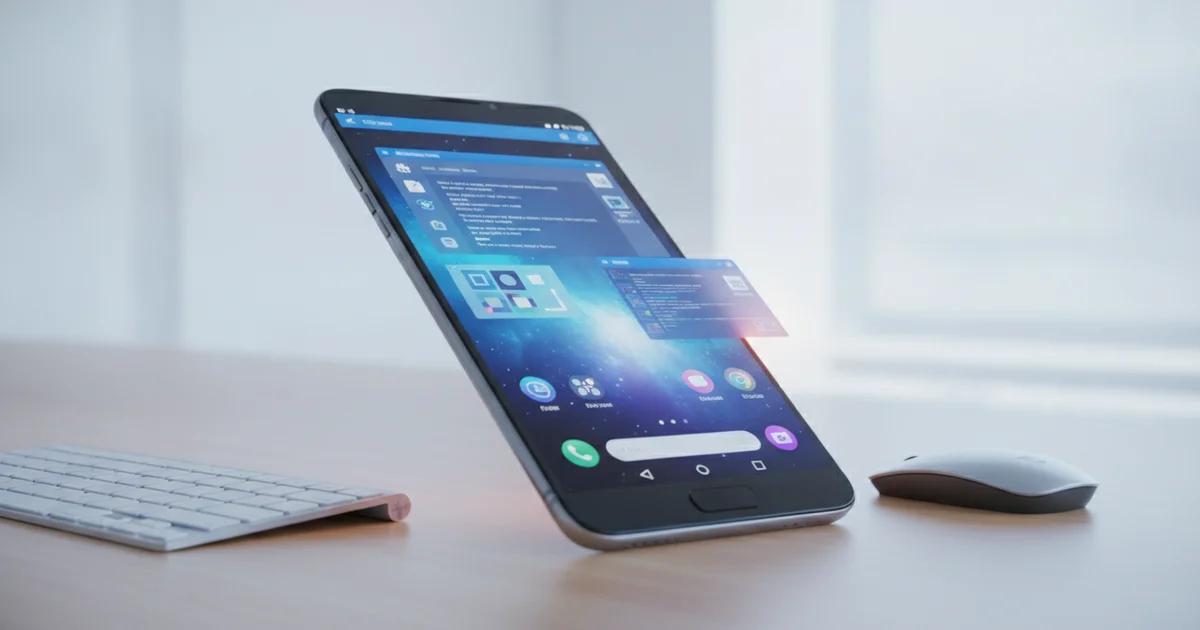
This shift matters most on Android tablets and foldables, where screen real estate finally matches what desktop Linux apps expect. Google’s ambition here is clear: position Android as a legitimate alternative to traditional desktop operating systems for power users who need real productivity software. A Pixel Tablet or a Samsung Galaxy Z Fold connected to a keyboard and monitor stops being a compromised laptop replacement and starts behaving like a flexible Linux workstation.
The open-source software ecosystem available through this approach is enormous. Thousands of Linux applications — development tools, media editors, scientific software, creative utilities — become accessible without relying on the Google Play Store or waiting for an Android port that may never arrive. For users who have always needed more than Android’s app store offers, Linux GUI app support delivers it directly.
The glaring problem nobody is talking about loudly enough
Here is the hard truth the breathless how-to guides keep burying in footnotes: Linux GUI apps on Android do not work consistently, and that inconsistency is the single most important thing a prospective user needs to understand before investing time in the setup.
ZDNET’s own coverage of the feature carries an explicit caveat in its headline — “when it actually works” — and that qualifier is doing a lot of heavy lifting. Linux desktop applications were built for traditional x86 hardware with generous screen real estate, dedicated GPU drivers, and persistent system resources. Android’s architecture, even with its Linux kernel foundation, imposes constraints that break that assumption in ways that vary by device, by app, and sometimes by session.
Most tutorial content skips past this. A writer boots GIMP or a lightweight text editor on a Pixel Tablet connected to a keyboard, captures a clean screenshot, and publishes. The reader follows the same steps on a mid-range Samsung Galaxy device without DeX mode and gets a crashed session or a window that renders outside the visible display boundary. No one lied, but the gap between a controlled demo environment and a real daily workflow is wide enough to swallow the entire promise.
The failure conditions matter specifically. The Linux terminal environment on Android runs inside a virtual machine, which means GPU acceleration is limited, clipboard integration between Linux apps and Android apps is unreliable, and background process management — Android’s aggressive app-killing behavior — can terminate a working session without warning. Running a full Debian environment on a phone is a different experience than running it on a foldable or a large-screen tablet paired with external peripherals.
Power users chasing a genuine Linux productivity workflow on Android deserve an honest accounting of where the feature holds and where it breaks. Right now, the coverage ecosystem is not giving them that.
Who this actually works for right now — and who should wait
Android’s Linux GUI app support has a clear target user right now: developers, Linux enthusiasts, and power users who already understand terminal environments and aren’t afraid of manual configuration. If you know your way around a Debian package manager and don’t panic when something breaks, this feature was built with you in mind. Everyone else should hold off.
Hardware compatibility is the first hard filter. The Linux terminal environment on Android requires specific device support, and not every Android phone or tablet qualifies. Pixel devices running recent Android builds sit at the front of the compatibility line. If your hardware doesn’t meet the requirements, the conversation ends before it starts.
Screen size is the second filter — and the more interesting one. Running full Linux desktop applications on a 6-inch phone display is technically possible and practically awkward. Linux GUI apps weren’t designed for small screens, and that mismatch shows immediately. The experience changes dramatically on Android tablets and foldable devices. A Galaxy Z Fold or a large-format Android tablet paired with a keyboard gives Linux apps enough real estate to function the way they were designed to. These form factors are where running graphical Linux apps on Android shifts from a party trick to a genuine workflow.
Setup complexity remains a real barrier for mainstream adoption. Enabling the Linux development environment, configuring graphical app support, and troubleshooting display issues requires patience and technical comfort that most Android users don’t have and shouldn’t need. This isn’t a feature you activate in two taps from Settings.
For the right person with the right device — a developer who wants access to tools like GIMP, VS Code, or command-line utilities with graphical interfaces, all without carrying a laptop — Android’s native Linux app support delivers something genuinely useful today. For everyone else, the better move is to watch this space and wait for the setup process to flatten out. The foundation is solid. The accessibility isn’t there yet.
The bigger picture: Is Android becoming a full Linux desktop?
Android is “very close to being a full-blown Linux desktop” — and that sentence would have read like science fiction five years ago. Today it reads like a product roadmap.
The Android kernel has always been built on the Linux kernel, which means the foundational plumbing for running native Linux applications was never the obstacle. The obstacle was intent. Google has now demonstrated that intent clearly: first with Linux terminal support on Android, then with the ability to launch full Linux GUI applications directly from that environment. Each step is deliberate, not accidental.
That trajectory puts Android in direct competition with platforms that weren’t bracing for this fight. ChromeOS already runs Linux apps through its Crostini container layer, but Android reaching similar capability on phones and tablets — devices with vastly larger install bases — changes the competitive math entirely. Windows on ARM has spent years trying to convince developers and enterprises that it deserves a seat at the productivity table. Android, running on billions of active devices with a maturing desktop mode and now Linux GUI support, is pulling up its own chair without asking permission.
The coverage of this feature mostly frames it as a technical curiosity — something for developers tinkering with Debian packages on a Pixel tablet. That framing misses what Google is actually assembling. Linux terminal access, GUI app support, DeX-style desktop experiences on Samsung hardware, and improving keyboard-and-mouse input handling are not isolated feature drops. They form a coherent architecture for a unified computing platform that follows a user from their pocket to their desk.
Microsoft built that vision around Windows and largely failed to execute it on mobile. Google is building it from the opposite direction — starting with the device already in three billion hands and extending upward into desktop-class Linux application territory. The endgame is a single Android-powered environment capable of running mobile apps, web apps, and full Linux desktop software interchangeably. That is not a niche power-user fantasy. It is a platform strategy, and Linux GUI support is one of its most significant milestones yet.