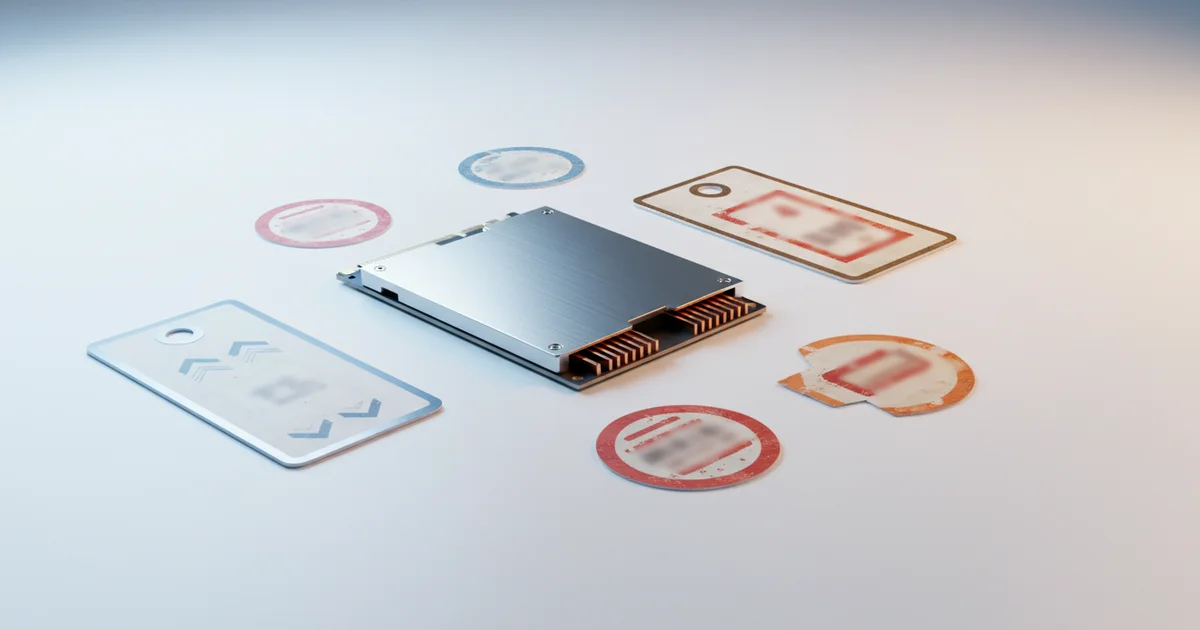
The SSD market right now: why prices are falling and what that means for shoppers
SSD prices have been dropping steadily across the industry, and the reason is straightforward: NAND flash manufacturers overproduced. Companies like Samsung, Micron, and SK Hynix flooded the supply chain with more storage capacity than the market could absorb, and that excess inventory has been pushing retail prices down for months. When you see a 1TB SSD listed at what looks like a steep discount, part of that markdown reflects real market-rate deflation — not a retailer doing you a favor.
That context matters, because it changes how you read a sale tag. Some “deals” during Memorial Day weekend are simply retailers passing on costs that already fell. But Memorial Day also creates a distinct competitive dynamic between Best Buy and Amazon that produces something more valuable: short-lived prices that drop below the current market floor as both retailers actively undercut each other to capture the holiday shopping window. Those gaps close fast, typically within days of the holiday, when prices normalize back to whatever the ambient market rate is.
The practical implication is this: waiting for prices to fall further has diminishing returns. NAND flash markets don’t decline indefinitely. Manufacturers respond to oversupply by cutting production, which tightens supply and stabilizes or reverses price trends. That correction is already underway in parts of the NAND market. Shoppers who keep waiting for a lower floor may find the floor has shifted upward.
Memorial Day 2025 sits at an interesting moment in that cycle. Prices are still low by historical standards — a 1TB NVMe SSD that cost over $100 two years ago now regularly sells for under $70, and competitive deals push that lower. But the window where both market conditions and retailer competition align simultaneously is narrow. Recognizing that this convergence is real, not manufactured urgency, is what separates a smart purchase from an indefinite wait.
What most deal coverage gets wrong: not all SSDs are created equal
Most deal roundups collapse every SSD into a single category sorted by price per gigabyte. That framing misleads shoppers in ways that cost real money and real performance.
The interface a drive uses determines its speed ceiling, and the gaps are enormous. A SATA SSD maxes out around 550 MB/s — a hard limit baked into the interface, regardless of brand or price. An NVMe Gen 3 drive hits roughly 3,500 MB/s. A Gen 4 drive doubles that, reaching 7,000 MB/s. Gen 5 drives push past 12,000 MB/s. That means a $30 SATA drive and a $90 Gen 4 NVMe drive are not competing products with different price tags — they are fundamentally different tools, separated by up to 20x in sequential read performance. Buying the cheaper one because the headline price looks better is only a win if your system can’t use anything faster.
Use case changes the calculus completely. A PS5 requires an NVMe M.2 drive — SATA simply won’t work. A video editing workstation cutting 4K or 8K footage will saturate a SATA drive constantly, turning every cache write into a bottleneck. For those users, a discounted Gen 4 drive like the Samsung 990 Pro or WD Black SN850X isn’t an upgrade — it’s the baseline.
Endurance ratings compound the problem further. TBW, or terabytes written, measures how much data a drive can absorb over its lifetime before wear becomes a failure risk. A budget 1TB SATA drive might carry a 200 TBW rating. A Samsung 990 Pro 1TB is rated at 600 TBW. For someone using an SSD as a primary system drive on a workstation, or for sustained read/write tasks like video rendering or database operations, that difference determines how long the drive actually survives — not how fast it feels on day one.
Deal coverage that leads with “1TB for $49” without specifying interface type, read/write speeds, and TBW isn’t covering the deal. It’s covering the discount.
Breaking down the actual deals: internal vs. external, and who each is really for
Not all SSD deals deserve equal attention, and the type of drive on sale determines whether it belongs in your cart or not.
Internal NVMe drives — the M.2 sticks that slot directly into a motherboard or the PS5’s expansion bay — are the sweet spot for PC builders, laptop upgraders, and console owners. A Gen 4 NVMe drive like the Samsung 990 Pro or WD Black SN850X regularly drops to around $80–$100 for 2TB during Memorial Day sales, and that price translates into a direct, measurable performance gain: faster boot times, quicker game load screens, shorter export queues. The upgrade is permanent and the hardware sits inside your machine, working every time you turn it on.
External SSDs solve a different problem. Drives like the Samsung T7 Shield or SanDisk Extreme Pro are built for portability — they connect via USB and travel with you. Content creators shuttling 4K footage between a shoot and an edit bay, remote workers carrying project files between home and office, anyone running serious backups: these are the people who get real value from an external SSD deal. Raw sequential speeds matter less here than durability, compact size, and consistent performance over USB 3.2.
The trap shoppers fall into is treating any discount as a green light. Retailers routinely cut prices on previous-generation internal drives — Gen 3 NVMe hardware — to move inventory before newer Gen 4 and Gen 5 models take over shelf space. A Gen 3 drive at 50% off can still be a worse purchase than a Gen 4 drive at 30% off, especially if your motherboard already supports the faster interface. Before buying, check the drive’s generation against your system’s M.2 slot specs. A quick search of the model number alongside “Gen 3 vs Gen 4” takes under two minutes and can save you from locking into hardware that was already being phased out before the sale started.
Match the drive type to your actual use case, and verify the generation before you commit.
The missing context: how to verify a deal is real before you click buy
Before you click buy on any Memorial Day SSD deal, spend two minutes with a price history tool. CamelCamelCamel tracks every price movement on Amazon going back years, and it regularly exposes the oldest trick in retail: a product listed at “40% off” that has actually sold at that exact “sale” price for the past four months. The holiday discount is theater. The price didn’t move — only the red badge did.
Browser extensions like Honey and Keepa overlay price history graphs directly onto Amazon product pages, so you see the full picture without leaving the listing. If the current price sits at or near the 90-day low, the deal is real. If the price history chart looks flat at the “sale” price, walk away.
Cross-referencing retailers kills another common illusion. Best Buy regularly advertises SSD prices that match or exceed what Amazon charges on an ordinary Tuesday. A Samsung 990 Pro 2TB listed at Best Buy during a “Memorial Day event” can carry a price Amazon has offered without any promotional language for weeks. Neither store deserves the benefit of the doubt — check both before committing.
Star ratings are the final trap. A 4.6-star average on a 2TB drive sounds reassuring until you filter reviews by one and two stars and read what buyers actually report. Batch quality variation is a documented problem across SSD brands, meaning a drive that earned strong reviews in 2023 may have shipped with different NAND or firmware in 2024 production runs. Search the review section for words like “failed,” “dead on arrival,” and “RMA” alongside the specific capacity you’re buying. A 1TB and 2TB version of the same model can have meaningfully different reliability records because manufacturers sometimes swap internal components between capacities without changing the product name.
Three steps — price history check, retailer comparison, failure-rate review scan — take under five minutes and separate genuine savings from manufactured urgency.
Our recommended picks: the deals that actually clear the bar
Three drives separate themselves from the Memorial Day crowd when you apply price-per-gigabyte math alongside verified benchmark data.
For budget buyers, the Samsung 870 EVO 1TB SATA SSD hits the sweet spot. Sequential read speeds reach 560 MB/s — the practical ceiling for the SATA interface — and the street price during this sale cycle drops to roughly $70, putting it at $0.07 per gigabyte. That figure beats most competing SATA options and reflects a genuine discount from its typical $90–$100 range. Upgraders moving from a spinning hard drive will feel every dollar of that.
For performance buyers, the WD Black SN850X 1TB Gen 4 NVMe is the standout. Sequential reads hit 7,300 MB/s, sequential writes reach 6,300 MB/s, and Memorial Day pricing at Best Buy and Amazon has pushed it toward $90 — a price point that was unthinkable eighteen months ago for a drive in this performance class. The 2TB version, currently discounted to around $150, delivers an even better per-gigabyte ratio and represents the single strongest value in the Gen 4 category right now.
The 1TB and 2TB capacities are where the math works in your favor. Dropping to 500GB saves you $20 at most while cutting your usable space in half. Jumping to 4TB rarely comes with proportional discounts during Memorial Day sales — retailers hold the margin on high-capacity drives because demand is inelastic and stock is tighter.
One entry-level NVMe pick worth adding for system builders on a strict budget: the Crucial P3 1TB, which uses PCIe 3.0 but delivers sequential reads of 3,500 MB/s and routinely prices below $55 during this sale window. It does not match Gen 4 throughput, but for a secondary storage drive or a budget gaming rig, the performance-to-dollar ratio is hard to dismiss.
These four drives clear the bar. Everything else on the sale page requires closer scrutiny before you commit.
Should you buy now or wait? A honest assessment
The right answer depends on why you’re buying.
If you have a concrete need right now — a drive showing read errors, a PS5 sitting with an empty M.2 expansion slot, a laptop that’s down to 10GB of free space — buy this weekend. Prices are at or near their lowest points of the year, and you’re solving a real problem at a good price. That’s the straightforward case.
If you’re buying speculatively, the math is less urgent. NAND flash prices have been declining steadily through 2024 and into 2025, and that trend isn’t reversing. A 2TB drive sitting at $80 this weekend will likely hit $75 or lower by Black Friday. Waiting costs you nothing except patience.
The one honest argument for acting now is inventory, not price. Popular models at popular capacities — the 2TB and 4TB tiers from Samsung, WD, and Crucial — do sell out during holiday weekend sale events. Retailers allocate a finite number of units at the deepest discount price. Once those units move, the same drive stays listed but often reverts to a higher price or goes to a waitlist. If you’ve already identified the specific drive and capacity you want, and it’s currently at its target price, waiting until Monday afternoon to decide carries real risk of losing that unit.
The practical approach: check the price against the 90-day historical low using a tracker like CamelCamelCamel before you click. If the current price matches or beats that historical low, buy. If it’s within five dollars of it, buy. If it’s ten or fifteen dollars above the lowest recorded price and framed as a “sale,” skip it and check back in the fall. Memorial Day SSD deals reward the prepared buyer who already knows what they need — not the browser who buys on impulse because a banner says limited time.