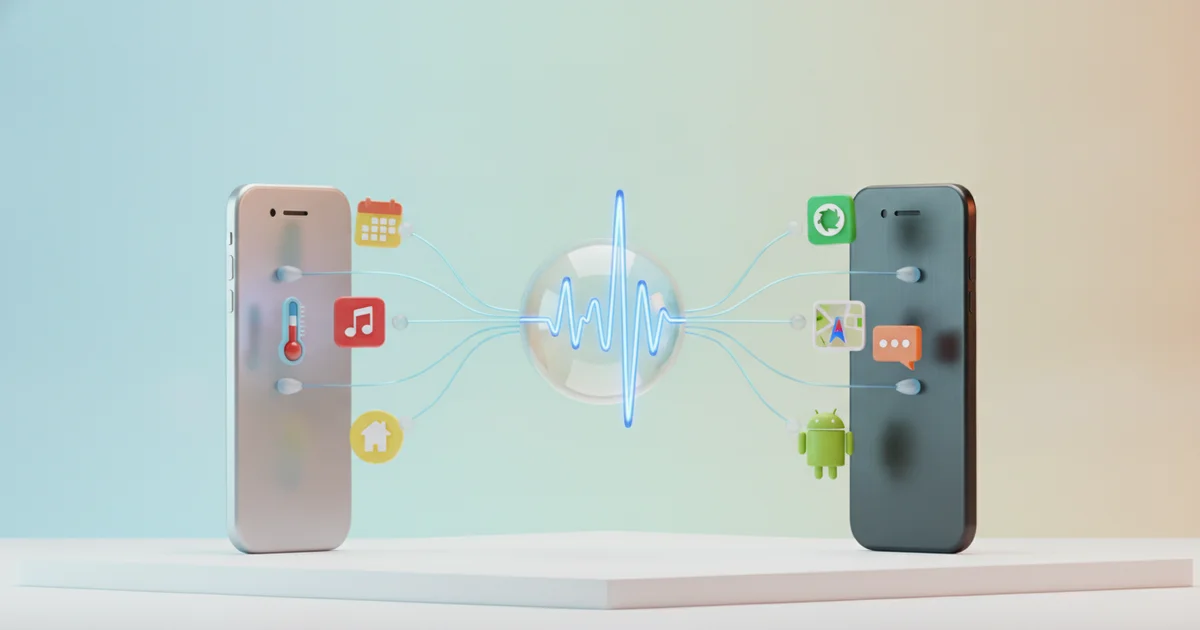
Beyond Siri and Gemini: What ‘Voice Control’ Actually Means
When most people hear “voice control,” they picture Siri fielding a question about the weather or Gemini drafting a quick text. That mental model is outdated and undersells what voice control actually does.
AI assistants operate as a layer on top of your phone. They interpret natural language, retrieve information, and execute specific commands — but they don’t replace the touchscreen. Full voice control does. It means navigating the entire operating system by speaking: launching apps, scrolling through menus, tapping buttons, filling out forms, and switching between screens. Not one touch required.
Both iOS and Android ship with built-in tools that make this possible, and neither depends on an AI assistant to function. Apple’s Voice Control feature, found in the Accessibility settings on any iPhone running iOS 13 or later, lets users operate every element of the interface through spoken commands. Android offers a parallel feature called Voice Access, available through its Accessibility menu. These tools don’t answer questions — they replace your fingers.
The distinction is practical and significant. An AI assistant can send a message if you dictate it clearly, but it can’t navigate a settings submenu, tap the third item in a list, or fill out a multi-field form without touching the screen. Native voice control handles all of that. A user cooking dinner, a parent holding an infant, a technician with gloved hands — any of them can operate a phone completely hands-free using these built-in features.
These tools originated in accessibility, designed for people with motor impairments who cannot reliably use a touchscreen. That origin shapes how thoroughly they work. Because they were built to replace touch input entirely, they expose the full operating system to voice commands — not just the parts an AI assistant was trained to recognize.
The Real-World Scenarios That Make Hands-Free Control Worth Learning
Picture flour-coated hands hovering over a mixing bowl, or a driver navigating an unfamiliar highway interchange, or someone halfway under a sink with a wrench in each hand. In every one of these situations, unlocking a phone and tapping through menus is either impossible or genuinely dangerous. Voice control solves this without requiring a smartwatch, a Bluetooth earpiece, or any hardware beyond the phone already in your pocket.
The practical list runs longer than most people acknowledge. Cooking, driving, exercising, childcare, and home repair all create moments where hands are occupied, dirty, wet, or otherwise unavailable. In each case, voice commands can launch apps, set timers, send messages, and navigate menus — the full range of touchscreen actions, performed without a single tap.
For users with motor disabilities or temporary physical limitations — a broken wrist, post-surgical recovery, repetitive strain injury — this capability moves from convenient to essential. Android’s Voice Access and Apple’s Voice Control features exist precisely because full phone operation through voice commands is a legitimate accessibility requirement, not an edge case. These tools let users tap, scroll, dictate text, and activate on-screen buttons using only spoken commands, covering virtually every function a touchscreen handles.
Tech coverage tends to frame voice control as either a novelty (asking an AI assistant trivia questions) or a specialized accessibility accommodation. Neither framing captures how broadly useful it actually is. A runner who wants to switch playlists without slowing down, a parent holding a newborn, a contractor checking measurements mid-job — none of these people have disabilities, and none of them are chasing a gadget trend. They’re solving a straightforward physical problem with a tool that’s already built into their phone.
The barrier to using voice control isn’t hardware or cost. It’s awareness. Most smartphone owners already carry a device capable of full hands-free operation and have never switched it on.
How to Enable Full Voice Control on iOS
Apple’s Voice Control lives in Settings > Accessibility > Voice Control, and enabling it takes about 10 seconds. Once active, it gives you complete hands-free control over your iPhone or iPad — tapping, swiping, scrolling, typing, and navigating menus — all through spoken commands.
The system gives you three ways to target any element on screen. Say the name of a visible button or label and Voice Control taps it directly. Say “show numbers” and every tappable element gets a numeric overlay — speak the number, and Voice Control activates it. Say “show grid” and a numbered grid appears over the screen, letting you pinpoint any pixel-level area, including ones with no label at all. These three modes together mean no element on any screen is ever truly unreachable by voice.
One detail Apple underplays: Voice Control processes everything on-device. No audio leaves your phone, and the feature works with no internet connection at all. This is a hard technical distinction from Siri, which routes requests through Apple’s servers. For anyone concerned about privacy or working in areas with poor connectivity, that difference matters.
The feature also supports fully custom commands. Open Voice Control settings, tap Customize Commands, then Create New Command. You assign a spoken phrase to any action — running a Shortcut, inserting a block of text, triggering a gesture sequence, or opening a specific app. A nurse documenting patient notes could say “insert template” and have a pre-written paragraph appear instantly. A cook following a recipe could say “next step” to scroll down without touching the screen.
Voice Control supports English, Spanish, French, German, Mandarin, Cantonese, and Japanese, among other languages. It works across every native iOS app and most third-party apps because it operates at the operating system level, not inside individual apps. You don’t need a newer iPhone — the feature has been available since iOS 13, released in 2019.
How to Enable Full Voice Control on Android
Android users have a dedicated tool for full voice control: Voice Access, a free Google app that transforms how you interact with your phone. Unlike Google Assistant, which handles queries and commands, Voice Access gives you granular control over every element on your screen.
When activated, Voice Access overlays numbered labels on every interactive element visible on your screen — buttons, text fields, links, icons. You speak the number corresponding to what you want to tap, and the phone executes it. No guessing at button names, no memorizing commands. If you see a button labeled “3,” you say “3” and it activates. You can also speak direct commands like “scroll down,” “go back,” or “swipe left” without relying on the numbered system at all.
The setup requires two steps most users never take. First, download Voice Access from the Google Play Store — it doesn’t come pre-installed on most Android devices. Second, enable it through Settings, then Accessibility, then Voice Access. That friction is almost certainly why the feature remains invisible to the majority of Android users despite being genuinely powerful.
Once running, Voice Access pairs naturally with Google Assistant and app-specific voice commands to create a layered hands-free system. You can use Google Assistant to open an app, switch into Voice Access to navigate within it, and dictate text using Android’s built-in speech-to-text engine — all without touching the screen. Certain apps, including Google Maps and YouTube Music, also support their own dedicated voice commands, adding another control layer on top.
The result is a hands-free experience that covers virtually every use case: composing emails, filling out forms, browsing the web, adjusting settings. Android users willing to spend five minutes on the initial setup get a system that works whether their hands are occupied, messy, or simply unavailable.
What Most Coverage Gets Wrong: The Learning Curve Is Shorter Than You Think
Most tech coverage treats voice control as either an accessibility workaround or a futuristic novelty — something that requires patience, a specific use case, or a steep setup process. That framing is wrong, and it keeps millions of people from using tools already installed on their phones.
Both iOS Voice Control and Android’s Voice Access are built for immediate use. There is no training period, no voice profile to create, and no paid subscription. A user who enables either feature can start navigating their phone within minutes. The interfaces are designed around plain-language commands — say “tap,” “scroll down,” “go back,” or “open Camera,” and the phone executes the action. Apple’s Voice Control even overlays numbered labels on every tappable element on screen, so when a button has no obvious name, saying “tap 4” still works. Android’s Voice Access takes the same approach with colored circles and labels.
The real obstacle is that most people have simply never been shown these features exist. Voice control documentation lives almost exclusively in accessibility settings and disability-focused guides. That placement sends an unintentional message — that this is a specialized tool for a narrow audience, rather than a general-purpose feature anyone can use. Wired and similar outlets have noted that voice control becomes genuinely practical for hands-busy scenarios: cooking, home repair, caring for a child, or exercising. Those situations apply to a wide general audience, not just users with motor impairments.
A realistic familiarization window is one focused session of 15 to 20 minutes. Learning four core commands — tap, scroll, go back, and open — covers the majority of everyday phone navigation. From there, users can expand into dictating messages, adjusting settings, or switching apps, all without touching the screen. The learning curve that tech articles imply simply does not reflect how these systems work in practice.
The Bigger Picture: Voice as a Primary Interface Is Closer Than We Admit
Speech recognition accuracy on modern smartphones now exceeds 95 percent across major platforms, and on-device AI processing — built into chips like Apple’s A17 Pro and Google’s Tensor G3 — means that accuracy no longer depends on a stable internet connection. These two facts together cross a threshold. Voice stops being a workaround and becomes a reliable primary input.
The infrastructure supporting that shift is already mature. Android’s Voice Access and Apple’s Voice Control frameworks give users complete, granular command over their devices — launching apps, navigating menus, filling out forms, executing custom gestures — without touching the screen. These aren’t experimental features. They ship with the operating system on hundreds of millions of devices right now.
The habits users build with phone-based voice control map directly onto the devices gaining market share today. Apple Vision Pro, Meta’s Ray-Ban smart glasses, and the expanding category of hearables all treat voice as the default or only practical input method. Users who already navigate a phone entirely by voice don’t face a learning curve with these platforms — they carry their fluency forward.
Screen time is also declining as a function of device design, not personal discipline. Wearables surface information on wrists and in ears. Ambient computing pushes interactions into cars, kitchens, and workspaces. Each of these environments deprioritizes the touchscreen. The interface shift is not a prediction — it’s visible in product roadmaps from Apple, Google, Samsung, and Meta simultaneously.
Learning full voice control now is a practical decision with immediate payoff. Anyone who cooks, drives, repairs equipment, or cares for children already encounters situations where a touchscreen is the wrong tool. Voice handles those moments cleanly. The same skill then positions users ahead of an interface transition that major technology companies have already committed to building.