The real barrier to Linux adoption isn’t the software — it’s the look
Most Mac users who try Linux don’t quit because they can’t find a browser or a music player. They quit because nothing feels right. The dock is in the wrong place. The window controls are on the wrong side. The app launcher doesn’t behave the way years of macOS muscle memory expects it to. That cognitive friction compounds fast, and within a few days, the experiment is over.
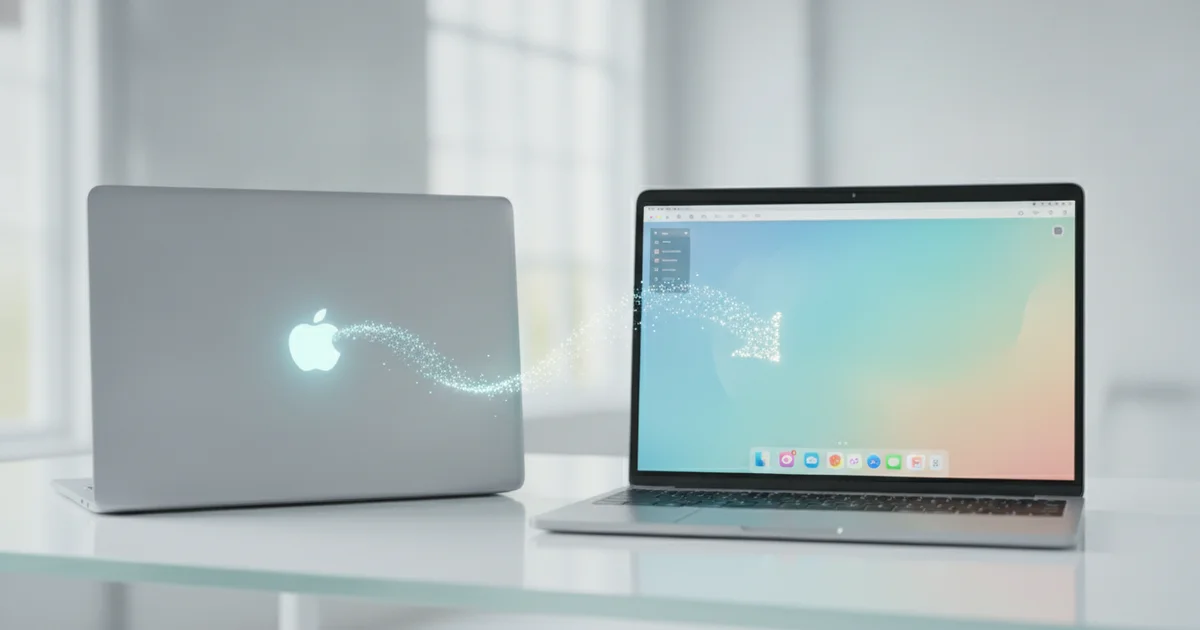
Zorin OS was built specifically to neutralize that friction before it becomes a dealbreaker. Rather than dropping users into a generic GNOME desktop and wishing them luck, Zorin ships with a dedicated tool called Zorin Appearance that lets anyone switch between complete desktop layouts in seconds — no command line, no configuration files, no risk of breaking anything.
For Mac converts, this matters immediately. The macOS-style layout positions the taskbar at the bottom with a centered dock, mirrors the application menu behavior macOS users already know, and keeps window controls on the left side of the title bar — exactly where a longtime Mac user’s hand already reaches. Switching to it takes three clicks inside system settings.
The free version of Zorin OS includes four distinct layouts out of the box. The Pro version adds more, including a Windows 11-style layout with a centered taskbar, which broadens the distro’s appeal to switchers coming from either major platform. Because Zorin is built on Ubuntu, it inherits a stable, well-supported software foundation — so the visual customization sits on top of a reliable base rather than replacing it.
Other Linux distributions technically allow similar desktop transformations, but they require users to track down third-party themes, install GNOME extensions, and troubleshoot conflicts between them. That process assumes comfort with the terminal and tolerance for things occasionally going wrong. Zorin removes that entire layer of risk. The layout switching is a first-party feature, maintained by the same team that ships the operating system, which means it works reliably and updates cleanly.
For a Mac user curious about Linux but unwilling to become a hobbyist tinkerer just to get a usable desktop, that difference is everything.
What Zorin OS actually is — and why it matters for Mac converts
Zorin OS is a Linux distribution built on Ubuntu, one of the most tested and widely deployed operating systems in the open-source world. That foundation matters. Ubuntu’s codebase has been refined across more than a decade of releases, which means Zorin OS inherits broad hardware compatibility, a software library containing thousands of applications, and long-term support cycles that keep the system stable and secure without constant user intervention.
What separates Zorin OS from a plain Ubuntu install is what sits on top of that foundation. The developers replaced the default GNOME interface with a heavily customized desktop environment controlled through a tool called Zorin Appearance. This panel lets users switch between distinct desktop layouts with a single click — no configuration files to edit, no terminal commands to memorize, no third-party scripts to trust. The entire process takes seconds.
For Mac users considering a move to Linux, one layout stands out immediately. Zorin OS ships with a macOS-style arrangement that places the dock at the bottom of the screen, mirrors the top menu bar, and adopts visual conventions that anyone comfortable with macOS will recognize. The muscle memory built up over years of using a Mac translates directly. Launchers sit where you expect them. The taskbar behaves the way a macOS-trained hand anticipates.
The practical detail that removes the biggest barrier: this layout is included in Zorin OS Core, the free edition. There is no paywall. A Mac user can download the ISO, install the operating system, open Zorin Appearance, select the macOS-style layout, and have a functional Linux desktop that reflects familiar workflows — all without spending a dollar or opening a terminal window.
That combination — Ubuntu’s reliability underneath, a point-and-click appearance switcher on top, and the macOS layout available at no cost — positions Zorin OS as the most direct entry point into desktop Linux for anyone migrating from Apple hardware.
Step-by-step: Enabling the macOS layout in under five minutes
Open the app drawer, type “Zorin Appearance,” and launch it. That’s the entire setup cost. No package manager, no terminal commands, no third-party extensions to hunt down and install.
Inside Zorin Appearance, navigate to the Layouts tab. You’ll see a grid of desktop presets. Click the macOS-inspired option — it repositions the taskbar from the top or side into a centered dock at the bottom of the screen, mirrors macOS’s Dock behavior with app icons that sit in one fixed bar, and moves window control buttons (close, minimize, maximize) to the left side of the title bar. One click applies all three changes simultaneously.
Next, head to the Background tab within the same tool. Swap the default wallpaper for something with the visual weight of macOS — deep blues, abstract gradients, or mountain landscapes work well and are freely available. Back in the Appearance tab, toggle between the Light and Dark color themes to match whichever macOS aesthetic you prefer. The Dark theme in particular pushes the desktop closer to macOS Ventura’s feel, with a charcoal menu bar and high-contrast dock.
The full process — launching Zorin Appearance, selecting the layout, changing the wallpaper, and flipping the theme — takes under five minutes from a cold start. No reboot required. The desktop refreshes instantly.
The most practical detail for anyone testing Linux for the first time: every single change reverses in seconds. Return to Zorin Appearance, select a different layout preset, and the dock disappears, window controls shift back to the right, and the panel rebuilds itself in its original position. Nothing is written permanently into system files. This makes the macOS desktop layout in Zorin OS a zero-risk experiment — you can run it for a week, decide it’s not for you, and restore the default configuration before your next coffee break.
What most coverage misses: this is about workflow continuity, not just aesthetics
Most coverage of Zorin OS fixates on screenshots — how close the dock looks to macOS, how convincingly the window chrome mimics Aqua. That framing sells the real value short. The visual similarity matters because it preserves workflow continuity, and that is an entirely different thing.
Take the dock. Zorin’s macOS layout ships with auto-hide enabled, bounce animations on app launch, and persistent pinning for frequently used apps. A Mac user who has spent years muscle-memorying their way to Finder, Safari, or a pinned terminal does not need to relearn spatial relationships on day one. The left hand still reaches for Command-equivalent shortcuts; the eye still drops to the same screen position for the same tools. That immediate recognition removes the single biggest abandonment trigger in Linux desktop migration: the disorientation of the first hour.
The pre-installed software stack reinforces this. Zorin OS ships LibreOffice for documents and spreadsheets, Firefox as the default browser, and a graphical software store built on Ubuntu’s package infrastructure. A Mac user who needs to write, browse, and manage files has a functional daily driver before opening a terminal — or without ever opening one.
The deeper win is what sits underneath. Because Zorin OS runs on Ubuntu, every package in the Ubuntu and Debian repositories is available through APT or the graphical store. That access is permanent, free, and not contingent on a subscription or hardware generation. Apple Silicon compatibility decisions, macOS upgrade paywalls, and iCloud storage nudges are simply gone. Users who left macOS specifically because of vendor lock-in do not trade one walled garden for another — they land on a Linux distribution with a genuine open-source package ecosystem behind it.
The layout switching is the door. The Ubuntu foundation is the reason to walk through it and stay.
Limitations to be honest about
Zorin OS does an impressive job mimicking macOS visuals, but “mimicking” is the operative word. The macOS-style layout repositions the taskbar, adjusts icon styling, and applies a dock — but font rendering on Linux lacks the subpixel smoothing Apple refines through its proprietary display stack. System animations feel snappier on macOS hardware running macOS software. These are not Zorin OS failures; they are fundamental differences between two separate operating systems that no desktop theme can bridge.
The software gap is more consequential for creative professionals. Final Cut Pro, Logic Pro, and Motion run exclusively on macOS. Linux alternatives exist — DaVinci Resolve handles video editing, and LMMS or Ardour cover music production — but they are not drop-in replacements. A video editor with years of Final Cut muscle memory will feel the absence immediately.
The free version of Zorin OS Core is generous, but the Pro tier unlocks additional layout options, including extra desktop configurations and premium themes. The free release ships with four layouts. Users who want the full layout-switching range, including the most polished macOS-adjacent preset, need to pay for Pro. The Zorin OS team prices Pro as a one-time purchase rather than a subscription, which softens that barrier, but the cost still exists.
Apple ecosystem integration presents the steepest wall. iMessage does not run on Linux — period. iCloud Drive requires third-party workarounds with inconsistent sync reliability. Handoff, AirDrop, and Universal Clipboard are Apple-proprietary protocols with no Linux support. If an iPhone sits on the desk next to the computer and those cross-device features drive daily workflow, switching to any Linux distribution — Zorin OS included — introduces real friction. No amount of layout customization changes that underlying reality.
Zorin OS remains the most approachable Linux desktop environment for Mac users exploring open-source alternatives. These limitations do not disqualify it; they simply define the boundary of what visual customization can and cannot solve.
The bigger picture: Zorin as a bridge, not a destination
Zorin OS works best when you treat it as a launchpad rather than a final destination. The Mac-like layout handles the psychological hurdle — that first week of staring at an unfamiliar desktop and wondering where everything went. Once that friction disappears, users naturally start exploring what sits underneath: the Ubuntu package ecosystem, the terminal when curiosity strikes, and the broader Linux software library that has matured dramatically over the past decade.
That exploration path matters because Linux desktop adoption has historically stalled at the intimidation stage. Zorin OS short-circuits that stall. A user who spends three months on the macOS-style layout has, without realising it, already learned how Linux handles software installation, system updates, and file permissions. Moving to a more customised distribution like Fedora or a bare GNOME setup becomes a conscious upgrade rather than a terrifying leap.
For users who never want to make that leap, staying on Zorin OS long-term is a completely valid outcome. The distribution receives consistent updates, the Pro version adds premium layout options and professional software bundles, and the community around it is growing. Either path — Zorin as a stepping stone or Zorin as a permanent home — adds one more person to the open-source ecosystem.
The timing for this kind of Linux on-ramp has never been sharper. Apple’s MacBook Pro lineup now starts at $1,599, with higher-end M4 configurations pushing well past $2,500. Microsoft is embedding Copilot AI features into Windows 11 whether users want them or not, and the minimum hardware requirements for Windows 11 locked out millions of otherwise functional machines. Against that backdrop, a free Linux distribution that replicates the macOS desktop experience, respects user privacy by design, and runs on older hardware is not a compromise — it’s a competitive alternative. Zorin OS positions itself precisely at that intersection, giving Mac-curious users a credible off-ramp from expensive proprietary ecosystems without asking them to abandon visual familiarity on day one.