The Windows 10 exodus is real — and Zorin OS is the surprise beneficiary
Windows 10 reaches end of life in October 2025, and Microsoft has made the upgrade path deliberately narrow. Windows 11 requires a TPM 2.0 chip that tens of millions of existing machines simply don’t have. That hardware wall has pushed a massive wave of users — many of them non-technical, everyday PC owners — into searching for alternatives for the first time.
Zorin OS is capturing a disproportionate share of that traffic. Zorin OS 18.1 surpassed 3.3 million downloads within six months of release, a number that puts it in a different category from the Linux distributions that typically appeal only to enthusiasts and developers. Those are mainstream numbers, driven by mainstream anxiety about being left behind.
Most tech coverage treats this as a Linux adoption story. It isn’t. The people downloading Zorin OS are not suddenly interested in open-source philosophy or terminal commands. They are interested in keeping their computers working without paying for new hardware or relearning how to use a desktop they’ve relied on for years. The fear isn’t switching operating systems — it’s switching habits.
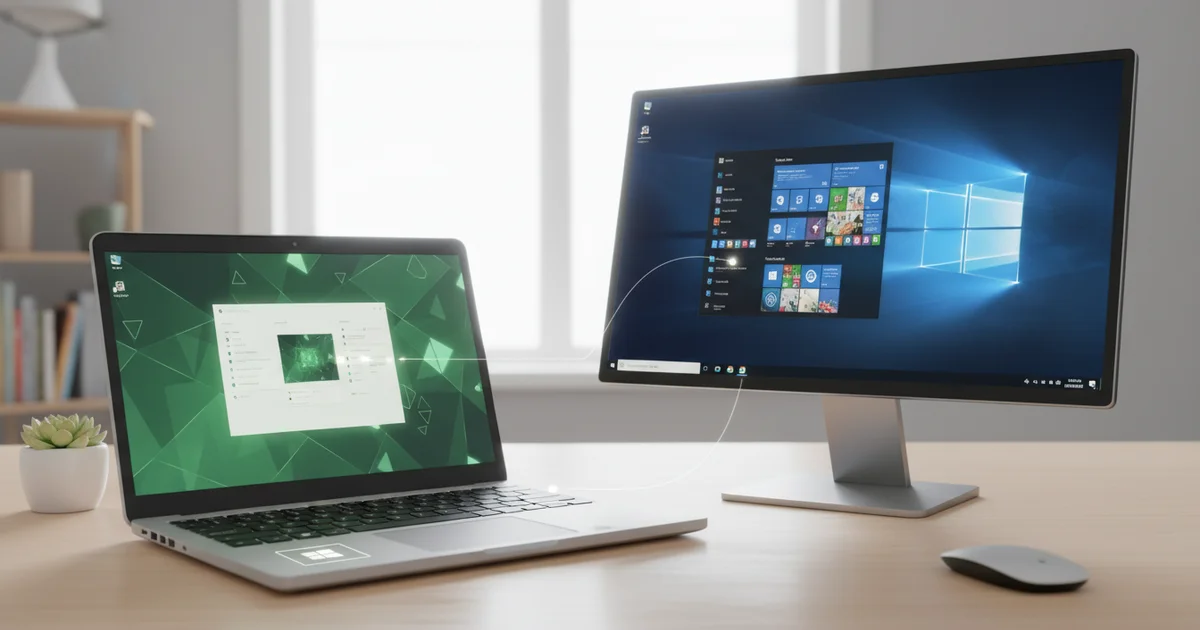
That distinction matters because it explains exactly why Zorin OS is the one benefiting while other capable Linux distributions sit on the sidelines. Zorin OS ships with a desktop layout switcher that lets users replicate the look and feel of Windows or macOS in minutes, without touching a configuration file. A longtime Windows user boots into something that looks familiar — taskbar at the bottom, Start-style menu, recognizable window controls. The friction that kills most Linux migrations is largely absent.
ZDNET rated Zorin OS 18.1 among the best operating systems currently available, citing its speed, polish, and depth of customization. That kind of mainstream endorsement doesn’t happen for niche tools. It happens when something genuinely solves a problem that a large number of ordinary people have. Right now, that problem is: my Windows 10 machine still works fine, and I need somewhere to go.
What ‘desktop layouts’ actually means — and why it’s a bigger deal than it sounds
Zorin OS ships with a built-in feature called Zorin Appearance, which lets users switch the entire look of their desktop between distinct layout presets — no terminal, no manual configuration files, no third-party extensions. One click applies a Windows 11-style taskbar with a centered Start button. Another switches to a macOS-style dock at the bottom of the screen. A third drops you into a classic Linux panel layout. The transformation is immediate and complete, covering taskbar position, application launcher style, and overall visual behavior.
That sounds like a cosmetic trick. It isn’t.
Most Linux distributions that offer customization require users to hunt down GNOME extensions, edit configuration files, or install separate theming tools that break with system updates. Zorin bakes the whole system directly into the OS. The free Core edition includes the primary layouts. Zorin OS Pro, which costs a one-time fee, expands the preset library further, adding layouts that replicate Windows 11, macOS, and a touchscreen-optimized arrangement.
Here’s the context most coverage skips: desktop familiarity is not a preference issue — it’s a retention issue. Studies on software usability consistently show that unfamiliar interfaces spike cognitive load and increase error rates, which is why so many people who attempt a Linux switch abandon it within days and return to Windows. The muscle memory built over years of using a taskbar in a specific position, a Start button in a specific corner, and an application launcher that behaves a specific way is genuinely difficult to override. Zorin’s layout system doesn’t ask users to unlearn any of that.
Since Windows 10’s end-of-support deadline entered mainstream conversation, Zorin OS 18.1 crossed 3.3 million downloads within its first six months — a figure that reflects exactly this dynamic. The people downloading it aren’t enthusiasts comfortable with the terminal. They’re everyday users looking for an exit ramp from Windows that doesn’t feel like starting over. Zorin’s desktop layouts are what make that exit ramp usable.
Free vs. Pro: What you actually get and whether it’s worth paying
Zorin OS ships in two tiers, and the free Core edition is not a crippled demo. It includes a functional set of desktop layouts — Windows-style taskbar, a macOS-style dock, and a classic GNOME arrangement — along with a full suite of pre-installed apps covering productivity, media, and web browsing. For the majority of former Windows 10 users who simply want a stable, familiar-feeling desktop without paying anything, Core delivers that without compromise.
Pro costs $47.99 as a one-time purchase — no subscription, no annual renewal. That fee unlocks additional desktop layout presets, including closer approximations of Windows 11’s centered taskbar aesthetic and a more polished macOS-style interface. Pro also adds extra premium themes, a broader selection of wallpapers, and a curated bundle of productivity software. The Zorin team positions it explicitly as a way to fund continued development, which matters for a small independent studio competing against trillion-dollar OS vendors.
Most coverage of Zorin treats Pro as an afterthought, burying it in a final paragraph or skipping it entirely. That framing misleads the exact audience currently weighing their options. A Windows 10 user facing the end-of-support deadline in October 2025 isn’t choosing between free and paid Linux — they’re choosing between Zorin Pro at $47.99, a Windows 11 license at $139, a new Mac starting at $599, or a continued Windows 10 install that stops receiving security patches. Framed that way, $47.99 for a lifetime license with no hardware upgrade requirement looks like a concrete financial argument, not a footnote.
The honest verdict: Core is the right starting point for most switchers. Download it, run it for a few weeks, and pay for Pro only if the additional layout polish matters to you. But dismissing Pro as irrelevant misreads who is actually shopping for Zorin right now. For someone replacing a paid OS on a budget machine that can’t run Windows 11, a one-time $47.99 is a legitimate decision, not an upsell to ignore.
How to actually switch layouts — a plain-English walkthrough
The Zorin Appearance app is your single destination for every layout change. Open it from the application menu — no terminal, no configuration files, no searching through nested system settings. The interface presents desktop layout presets as visual thumbnails, so you can see exactly what you’re selecting before you commit.
Switching from the Windows-style layout — a taskbar pinned to the bottom of the screen with a Start-menu-style app launcher — to the macOS-style layout takes a single click. The dock appears at the bottom center of the screen, applications hide behind a top menu bar, and the transition completes in seconds. Click back to the Windows preset and the taskbar returns just as quickly. Nothing about the process is permanent, which removes the biggest psychological barrier for anyone nervous about experimenting with an unfamiliar operating system.
The free Core edition includes the Windows and standard Linux layouts. Zorin OS Pro, which costs $47.99, unlocks additional presets including the macOS-style dock layout, a touchscreen-optimized layout, and a layout modeled after classic Ubuntu. For Windows 10 migrants who want the closest possible match to their old desktop on day one, that investment delivers an immediate familiarity payoff.
Beyond the layout presets, the Zorin Appearance app lets you stack additional customizations on top of whatever layout you choose. Swap in a different icon set, change the system accent color, set a custom wallpaper, or toggle between light and dark modes — all from the same panel. Power users can push further by installing third-party GNOME extensions, which Zorin OS 18.1 fully supports, adding functionality like custom window management rules or alternate app docks.
The practical result is a desktop you can tune precisely to your workflow rather than one you have to adapt to. For the millions of Windows 10 users weighing their options before the October 2025 end-of-support deadline, that combination of low-risk experimentation and high-ceiling customization is a concrete reason to take Zorin OS seriously as a daily driver.
The broader implication: Familiarity as a Linux adoption strategy
Zorin’s design philosophy concedes something the Linux community has historically been reluctant to accept: UI familiarity is not a cosmetic concern. It is the adoption barrier. For decades, Linux evangelists have argued that users simply needed to “learn the right way” to use a computer. Zorin OS rejects that framing entirely.
By letting users select a Windows-style taskbar layout, a macOS-style dock, or a traditional Linux desktop from a single settings panel, Zorin removes the first and most paralyzing question a new user faces — “where is everything?” That question gone, the user’s mental energy shifts to something far more useful: what this operating system can actually do for them. The learning curve doesn’t disappear, but it starts from a much higher floor.
The numbers validate the strategy. Zorin OS 18.1 reached 3.3 million downloads within six months of release — a figure that places it in genuinely mainstream territory for a Linux distribution. That growth coincides directly with Microsoft’s end-of-life announcement for Windows 10, but the download volume suggests users who tried Zorin didn’t immediately abandon it. A distribution that confused or frustrated people at first boot doesn’t accumulate numbers like that.
The downstream pressure on other distributions could be significant. Ubuntu, Linux Mint, and Fedora all have their own interface conventions, and their development communities have historically prioritized technical decisions over onboarding experience. If Zorin continues to pull migration-era Windows users at this scale, it creates a visible, data-backed argument that first-impressions UX is not a luxury feature — it is a growth lever. Other distributions will either adapt their onboarding approach or cede that growing audience to Zorin.
The broader implication is a potential reorientation of how the Linux ecosystem measures success. Raw technical capability has always been the benchmark. Zorin OS proposes a different one: how quickly can a former Windows user stop thinking about the interface and start getting work done? That question, not kernel version or package manager philosophy, is what decides whether Linux captures its largest-ever migration opportunity.