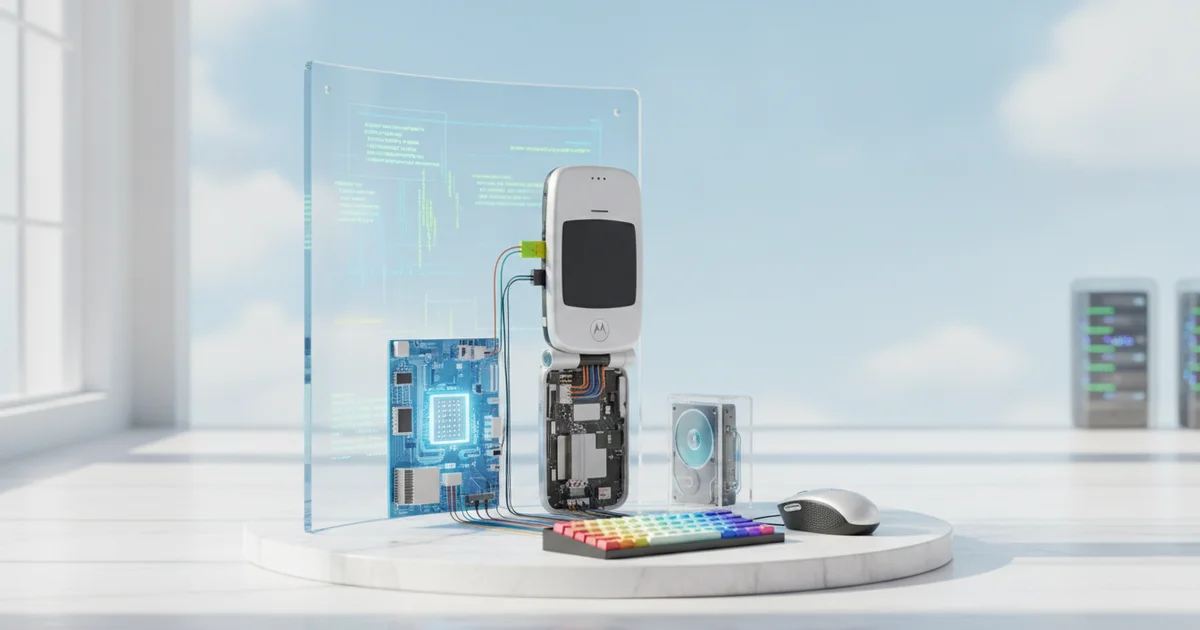
The Experiment: What It Actually Takes to Turn a Razr Into a Desktop
Setting up the Razr as a desktop machine takes four things: the phone, a USB-C hub, a monitor, and a Bluetooth keyboard and mouse. That’s it. Anyone who already uses an external display with a laptop likely owns every piece of this kit right now. The USB-C hub handles video output, power passthrough, and peripheral connections simultaneously — plug it in and the phone recognizes the monitor within seconds.
Android’s desktop mode has matured well beyond its awkward early iterations. On the Razr, connecting to an external display triggers a windowed interface where apps open in resizable, draggable windows rather than full-screen mobile panels. The taskbar, app switcher, and window controls behave the way a desktop user expects them to. Productivity apps including Google Docs, Sheets, and Chrome run without friction. The experience isn’t a stripped-down imitation of desktop computing — it’s a functional working environment.
The Razr’s flip design solves a problem that bar-style phones create: where do you put the phone itself? A standard slab either lies flat and takes up desk space or needs a stand to stay upright. The Razr, folded shut, stands on its hinge as a self-contained unit roughly the size of a deck of cards. It sits beside the monitor like a miniature tower, stable and out of the way, while the USB-C hub runs from its base. The form factor that gets dismissed as a novelty turns out to be a practical advantage in exactly this scenario.
The total cost to add the missing pieces — assuming you already have a monitor — runs under $50 for a capable USB-C hub and a basic Bluetooth keyboard-and-mouse combo. For anyone already carrying a Razr, the barrier to a functional desktop setup is closer to an afternoon of configuration than a significant hardware investment.
What ‘Surprisingly Capable’ Actually Means — Setting Realistic Expectations
“Surprisingly capable” has a ceiling, and you should know exactly where it sits before you unplug your laptop for the last time.
For the core workload that defines most office jobs — browser tabs, email, Google Docs, Zoom calls, Slack — Android on a monitor-connected smartphone handles the load without meaningful friction. A Motorola Razr plugged into an external display via a USB-C hub ran these tasks in a desktop-style windowed environment, switching between apps and managing multiple open windows in a way that felt native rather than cobbled together. Nothing crashed. Nothing lagged in ways a mid-range laptop wouldn’t also lag. The operating system did not feel like a compromise.
The friction appears the moment you push into desktop-grade software. Android’s app ecosystem was built for portrait-mode phone screens, and that origin shows when you stretch apps to fill a 24-inch monitor. Some apps refuse to scale properly — text elements stay phone-sized, UI buttons cluster in corners, and a handful of apps lock to a fixed aspect ratio entirely. This is a real gap, not a minor annoyance, and it reflects the fact that Android desktop mode is still a feature developers can choose to optimize for or ignore.
The honest boundary: this setup does not replace a workstation running Adobe Premiere, a development environment with multiple compiler windows, or any workflow that depends on software with no Android equivalent. Those users are not the audience here.
The audience is the large share of remote and office workers whose entire productive day lives inside a browser or a handful of communication and document apps. For that group — which multiple workplace surveys put at well over half of all knowledge workers — a capable modern Android phone connected to a keyboard, mouse, and monitor already clears the functional bar. The hardware is not the obstacle. The assumption that it can’t work is.
The Missing Context: Samsung DeX Blazed This Trail, But Others Are Catching Up
Samsung launched DeX in 2017 with the Galaxy S8. For seven years, it has let users plug a Samsung flagship into a monitor and get a full windowed desktop environment — taskbar, resizable apps, mouse support, the works. The tech press covered it as a Samsung curiosity. It wasn’t. It was a proof of concept for where Android was heading.
The Motorola Razr running desktop mode is not a one-off trick. It’s the same idea, now available on a mid-range device powered by a Qualcomm Snapdragon chip. That matters because Snapdragon’s mid-tier silicon — the processors going into $400–$600 phones — now carries enough CPU and GPU headroom to drive a second display, run multiple windowed apps simultaneously, and handle productivity workloads without thermal throttling into uselessness. The capability gap between a $1,200 Samsung flagship and a mid-range Motorola has collapsed when it comes to desktop-mode performance.
Google has been doing the unsexy infrastructure work that makes all of this possible. Each Android release since Android 12 has improved multi-window behavior, free-form window resizing, and large-screen app compatibility. Android 14 pushed further with better keyboard and mouse input handling. Android 15 continued that trajectory. The result is that desktop mode on Android today is meaningfully better than it was two years ago — and it will be better again in 2026 without any hardware changes to phones already in people’s pockets.
Most coverage frames this as a Razr feature story. The actual story is that desktop mode is becoming a standard Android capability, not a premium add-on. Samsung proved the hardware case. Qualcomm proved it scales down the price ladder. Google is proving it works across the ecosystem. The only thing that hasn’t caught up is the assumption that a phone is just a phone.
Why This Matters Now: The Convergence That PC Makers Don’t Want You to Notice
The PC industry has a vested interest in you not doing the math. A mid-range Android phone — say, a Motorola Razr or a Samsung Galaxy A55 — paired with a $150 monitor and a $40 USB-C hub costs less than most entry-level Windows laptops, and it already fits in your pocket. That combination handles everything the average user actually does: browsing, email, video calls, document editing, and streaming. The hardware argument for owning a separate PC has quietly collapsed for the majority of consumers; the habit argument is what the industry is selling instead.
The functional gap between Android and desktop operating systems has narrowed to near-irrelevance for everyday workloads. Google Chrome on Android renders the same web as Chrome on Windows. Google Docs, Sheets, and Slides run natively on Android. Microsoft 365 apps are available on the Play Store. For a user whose entire workflow lives in a browser and three apps, the operating system underneath is largely ceremonial.
Enterprise IT departments in cost-conscious organizations figured this out before consumers did. Thin-client and phone-as-PC deployments have been running in emerging markets and large-scale call-center environments for years, where device cost, manageability, and durability matter more than brand loyalty. What ZDNET’s experiment with the Motorola Razr demonstrates is that this model now works well enough that individual consumers can replicate it without IT support or specialized software.
Samsung DeX has offered a desktop mode since 2017. Motorola’s Ready For platform does the same. These features exist on hardware millions of people already own and have largely ignored — not because the experience is poor, but because no one told them it was an option. The PC industry spends billions annually reinforcing the idea that a phone is a phone and a computer is a computer. That distinction serves their revenue model. It no longer reflects how the hardware actually performs.
The Flip Factor: Does the Razr’s Form Make It Uniquely Suited for This?
The Razr’s clamshell design solves a problem that sounds trivial until you actually try docking a phone: where does the device go? With a bar-style iPhone or Galaxy, you’re left propping it against a coffee mug or laying it face-down while the external monitor does the work. Fold the Razr shut and it sits upright, occupying roughly the footprint of a business card, stable and out of the way. That’s not a gimmick — it’s a genuine ergonomic advantage that changes how the whole setup feels on a real desk.
The external cover screen compounds that advantage. While your main display drives the monitor, the 3.6-inch outer panel on the Razr 2024 keeps notifications, calendar alerts, and media controls accessible without breaking your workflow. You don’t unlock the phone, don’t interrupt the desktop session, don’t lose your place in a document. Conventional candy-bar phones offer no equivalent. You either glance at a screen that’s hidden behind the phone or you reach over and tap into the main interface, interrupting whatever the DeX or Ready For session has running.
Thermal performance is where the Razr’s form factor stops being an asset and starts raising real questions. The phone’s slim folding chassis leaves minimal room for heat dissipation. Under sustained desktop loads — think a two-hour stretch of video calls layered with browser tabs and a live document — any phone will throttle its processor to manage heat. The Razr’s Snapdragon 8s Gen 3 is a capable chip, but it runs in a body that’s thinner and more thermally constrained than a flagship slab like the Galaxy S25 Ultra. Short productivity bursts pose no issue. Extended heavy sessions are where users will likely notice performance softening as the device protects itself from overheating. That’s a real-world limitation worth building around — keep intensive rendering or long exports for the morning when the device is cool, not after an hour of video calls.
The form factor gives with one hand and takes with the other. For most desktop-style work, the trade-off lands firmly in the Razr’s favor.
Should You Actually Do This? A Honest Verdict for Different Types of Users
The honest answer depends entirely on who you are and what you already own.
If you carry a Motorola Razr and travel regularly, this setup costs you nothing to try beyond a USB-C hub and a Bluetooth keyboard — gear that runs under $60 combined and works with everything else you own. Students who need a machine for writing papers, browsing research, and managing cloud documents will find the Razr handles all three without complaint. The same goes for anyone whose workday lives inside Google Docs, Slack, or a browser. For these users, the smartphone-as-PC experiment is already worth running.
The calculation shifts if you’re considering buying a Razr specifically because of this capability. A dedicated budget laptop — a Chromebook or a refurbished ThinkPad in the $200–$300 range — will deliver a more consistent experience for sustained work. Larger sustained multitasking, heavier spreadsheet work, and anything requiring desktop-class software still favors purpose-built hardware. The Razr’s desktop mode is a capable secondary option, not a primary workstation replacement for power users.
The bigger point here isn’t about one phone. Smartphone desktop modes have crossed a viability threshold that didn’t exist three years ago. The combination of faster mobile processors, USB-C video output, and mature Android interfaces means the gap between phone and PC has narrowed to the point where it’s practical, not just technically possible. Samsung DeX has made this case on Galaxy devices for years. The Razr experiment shows the feature is spreading beyond flagship tiers.
The next generation of mobile processors will close that gap further. Whatever feels slightly rough today — the occasional app that doesn’t scale cleanly, the memory constraints under heavy multitasking — will look different in 12 months. The right habit to build now is checking what your current phone can already do before assuming you need separate hardware. For a lot of people reading this, the answer will surprise them.